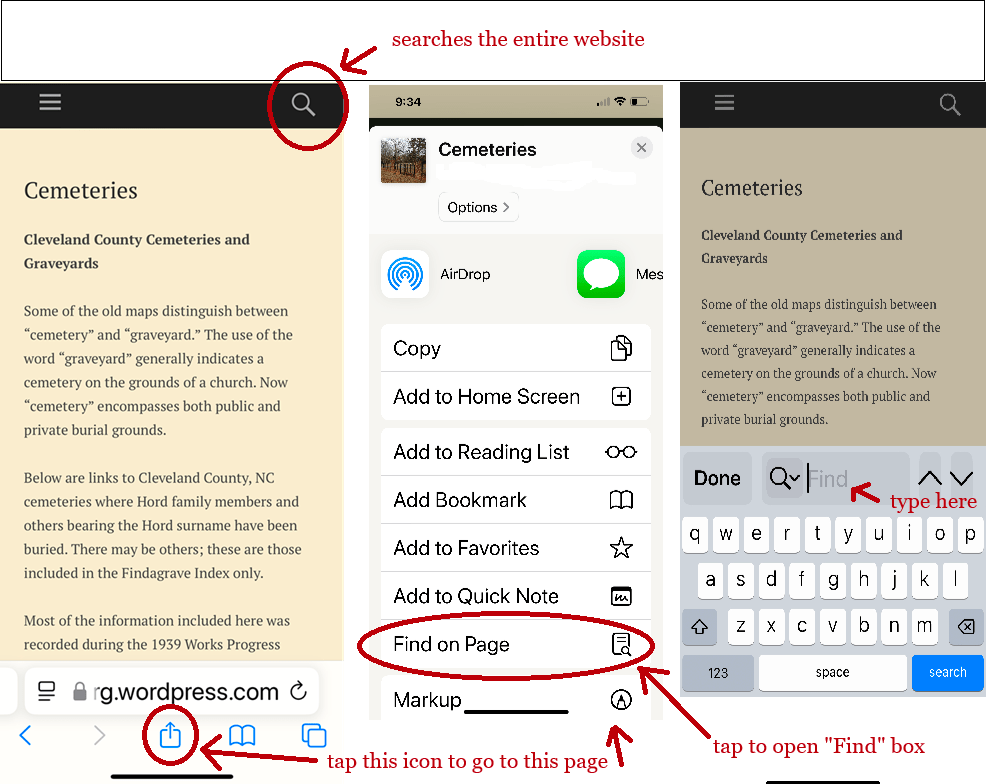
This site is searchable by clicking on the magnifying glass icon in the upper right corner of the page; then click on the title.
You can also conduct a search within a lengthy document:
If you’re using a desktop computer, press Control+F to access a “Find” box. Type in the name or word you’re searching for and it will jump to those words in the document.
From an iPhone page, click on the share button at the bottom. Scroll down to “Find on Page” and enter the name or word you’re searching for.
To quickly magnify an image when using a laptop or desktop computer, hold the “ctrl” button down and scroll up; press 0 while holding “ctrl” down returns the image to normal.
 Cleveland County History